 Heatwave
Your field journal for Leonida.
Count down to midnight on your Lock Screen, pin everything you find on your own map, and track your road to 100%. Honest, private, and built to sit next to your controller.
Free to download. iPhone and iPad, iOS 17 or later. Heatwave+ is $6.99 on the U.S. App Store as of November 18, 2026, shown again before you buy. No subscription.
Launch night, and every night after
Heatwave is useful before you've even pressed start, and it gets better the more you play.
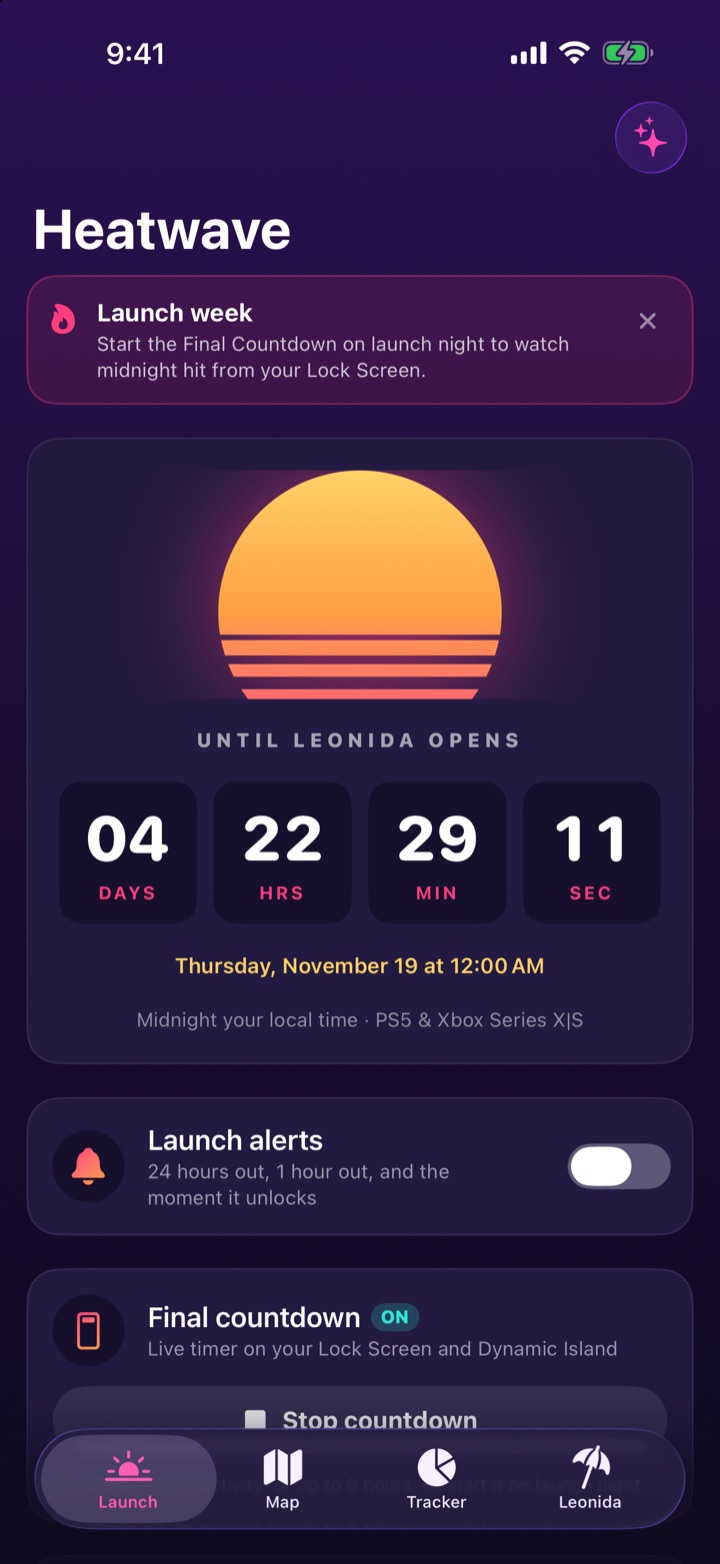
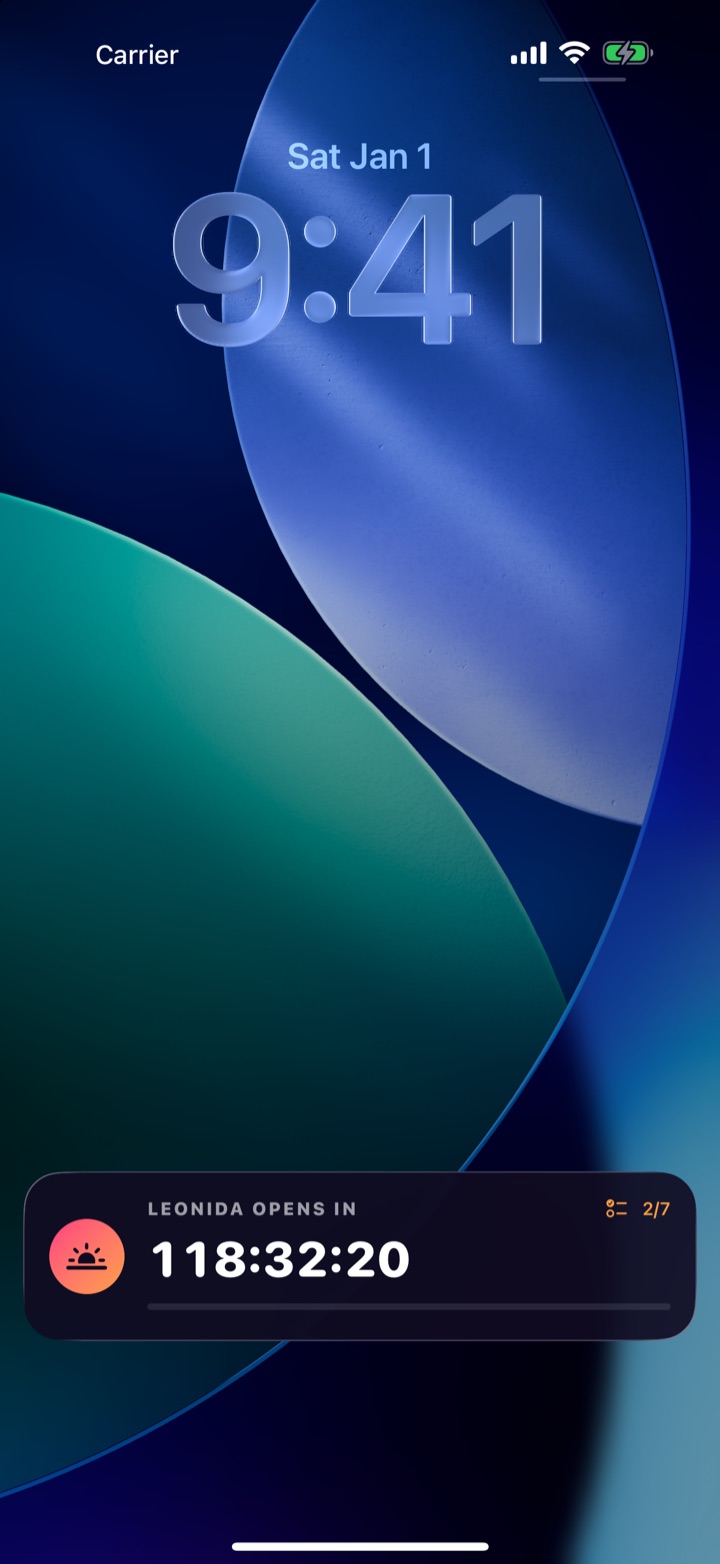
Lock Screen countdown
A live timer on your Lock Screen and in the Dynamic Island that flips to "It's live" at midnight, plus home and Lock Screen widgets.
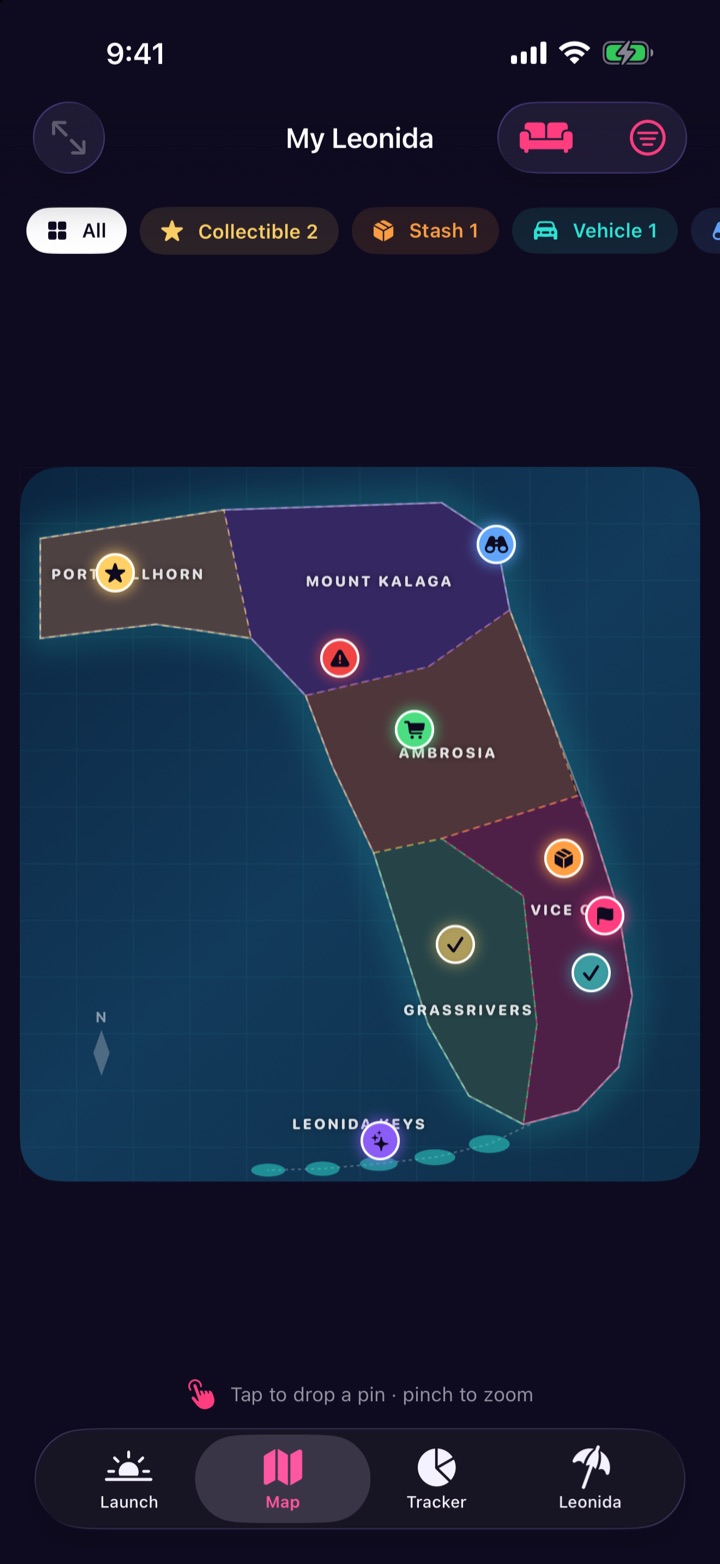
Your own map
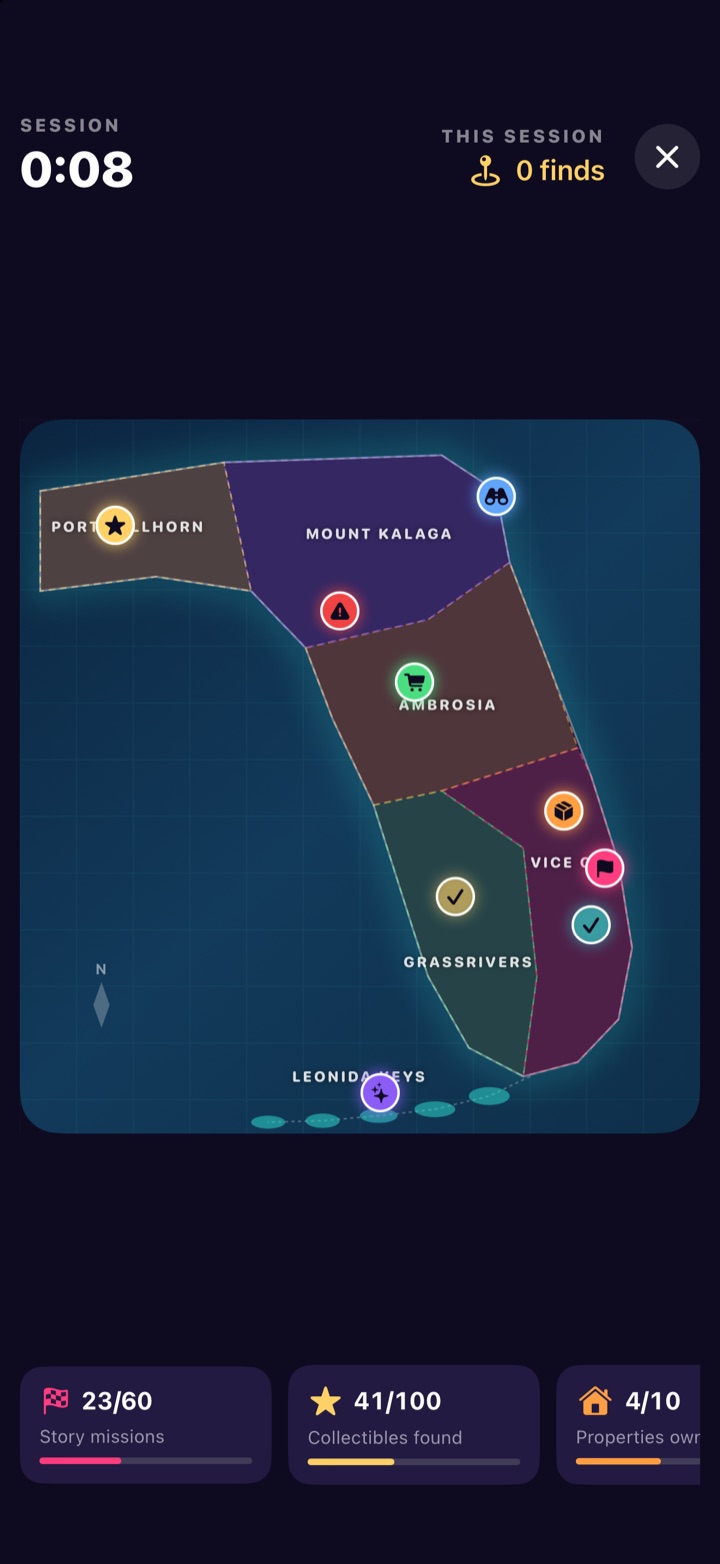
Tap to drop pins for collectibles, stashes, cars, viewpoints and more. Heatwave tags the region for you, and you can add notes and tick them off.
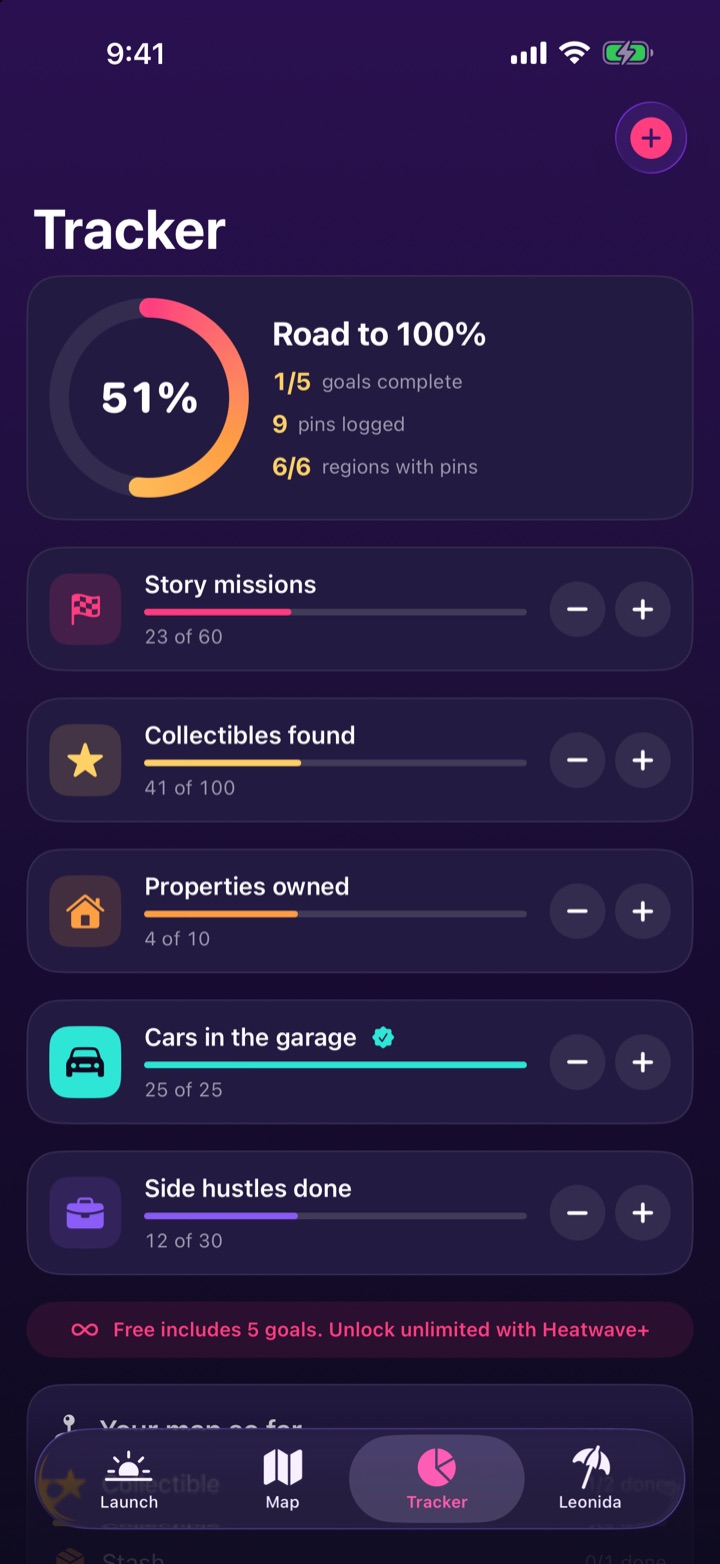
Road to 100%
Goals for missions, collectibles, properties and cars with one-tap counters, and stats from everything you've pinned.
Region guide
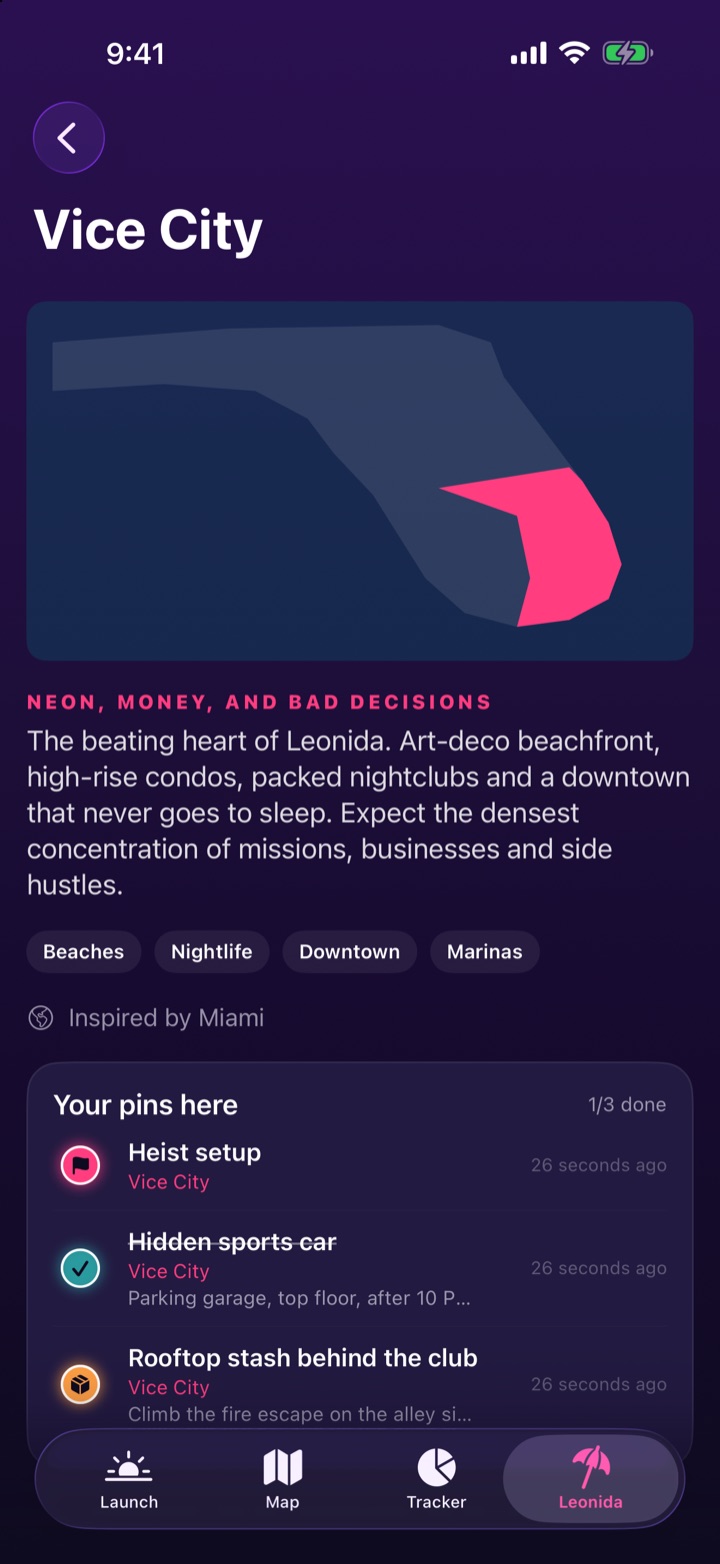
The six regions Rockstar has named, from Vice City to the Leonida Keys, with your pins for each one. The written guide is on the map page.
Launch alerts
A heads-up 24 hours out, one hour out, and the moment it unlocks, plus a launch-night checklist. City clocks are explained on the release-date page.
Community pins
Share your finds and see everyone else's. A pin earns a verified badge once three players have found it too.
Verified cheats only
Codes appear only after they've been tested on a real copy of the game, and they can land in the app without an update. Nothing is listed ahead of that test.
No guesses. No hype.
Plenty of apps promise cheats and maps of places nobody has visited yet. Heatwave shows what you actually find, and what Rockstar has actually named.
- Your pins are real. The map is a journal of what you've found, not a list of rumors.
- Community pins are confirmed. A shared pin is verified only after three different players find it.
- Cheats are verified first. Until a code is tested on a retail copy, Heatwave says so instead of guessing.
- Fresh without updates. Confirmed codes, landmarks and corrections can arrive without a new build.
Free to play along. Plus if you're all in.
The countdown, Live Activity, your map and the region guide are free. Heatwave+ is a single purchase. No subscription.
Free
Always free
- Countdown, widgets and Live Activity
- Unlimited pins on your map
- Up to 5 goals in the tracker
- Community pins: share, confirm and report
- Region guide and verified cheats
Heatwave+
$6.99 once, on the U.S. App Store as of November 18, 2026.
- Log finds with Siri or the Action button
- Couch Mode second screen
- Unlimited goals
- Ocean Drive and Midnight app icons
- Every Plus feature added later
The price is shown in the app before you buy, and it can differ by country. Heatwave+ works with Family Sharing.
Private by design
Your pins, notes and progress live on your iPhone. There's no Heatwave account. Pins you choose to share are anonymous.
No account, no ads
No sign-up and no advertising. The privacy policy says Heatwave does not ship an analytics or ad SDK, and does not track you across other apps.
Stays on your device
Everything you log is stored on your iPhone, unless you choose to share a pin. Deleting the app deletes the on-device copy.
Apple handles payment
Heatwave+ is bought through the App Store. We never see your payment details. Apple's privacy label, as of November 18, 2026, lists purchases, user content, and identifiers. The policy explains each one.
The launch guides
Same sources as the countdown hub. Read these before you trust a random map.
Release date and time
November 19, 2026, the midnight rule, and clock math by time zone.
Platforms and editions
PS5 and Xbox Series X|S, Standard and Ultimate, and the published prices.
Map and named places
Leonida, Vice City, and the six names on Rockstar's official artwork.
Lucia and Jason
The two leads, in Rockstar's own story, plus people the site has introduced.
Official trailers
Trailer 1, Trailer 2, the extended look, and the launch trailer, with YouTube links.
Launch-day checklist
Pre-load, code-in-box, storage, and the questions people ask the night before.
Cheats
No official codes as of November 18. Nothing on that page is a fake code.
Support
A bug, a question, or a code you've verified? Email us and we'll get back to you. Let us know your iOS version and what you were doing.
Is Heatwave made by Rockstar Games?
No. Heatwave is an independent, unofficial fan companion made by CognitoWare. It isn't affiliated with, endorsed by, or sponsored by Rockstar Games or Take-Two Interactive.
How do I put the countdown on my Lock Screen?
Open the Launch tab and tap Start on Lock Screen. iOS keeps a Live Activity for up to 8 hours, so it's best to start it on launch night. For a countdown that stays all week, add the Heatwave widget to your Home Screen or Lock Screen.
When does the game unlock?
PlayStation Support says the PS5 release is midnight local time on November 19, 2026. Rockstar and Take-Two have published the date. The sources and the time-zone math are on the release-date page. Heatwave counts down to midnight on your iPhone.
How do community pins work?
Open one of your pins and tap Share with the community. Other players see it as a ring on the map and can tap I found it too. Once three players have found it, it's marked verified. Pins are anonymous, your notes are never shared, and you can remove your pin at any time. Sharing needs you to be signed in to iCloud.
How do I report or block someone?
Tap a community pin, then Report or Block player. Pins with enough reports disappear for everyone, and blocking hides all of that player's pins on your device. You can also email us and we'll remove content that breaks the rules.
Why is the cheats list empty?
We only list codes that have been tested on a real copy of the game. Rockstar has not published a list. Once a code is confirmed, it can appear in the app with no update. The cheats page on this site does not print guesses. If you have verified a code, email us.
How do I log a find with Siri?
With Heatwave+, say "Log a find in Heatwave" or "Drop a stash pin in Heatwave". Siri asks which region it's in and adds the pin. You can also add "Log a find" to the Action button in Settings → Action Button → Shortcut.
How do I restore Heatwave+?
Tap the sparkle button on the Launch tab, then Restore purchase. Use the same Apple Account you bought with. Family members can use it through Family Sharing.
How do I get a refund?
Purchases are handled by Apple. Go to reportaproblem.apple.com, sign in, and choose the Heatwave purchase.
How do I delete my data?
Your pins, notes, goals and settings live only on your device. Deleting the app deletes them. See the Privacy Policy for the community-pin exception.