 Turnip
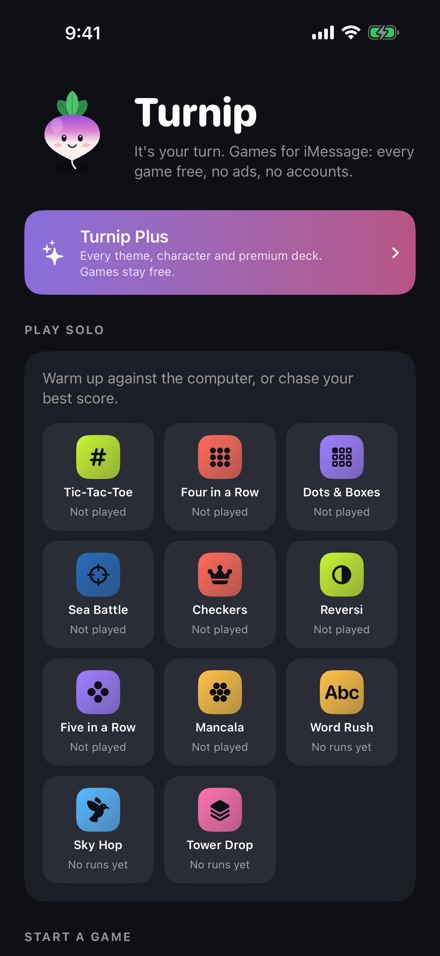
iMessage apps are not a second Home Screen. They show up inside Messages, and Apple's May 7, 2026 article is the install path. Turnip is one of those apps. You can also install it from the ordinary App Store. The drawer path is the one that matters when you are already in a chat.
Install from the conversation
- 1Open a conversation Open Messages, start a message or open a conversation, and tap the Plus button.
- 2Open the Store Tap the Store icon. Apple calls this the App Store for iMessage.
- 3Get the app Tap Get, or the price if it isn't free, then Install. You may have to enter your Apple Account password.
- 4Return to the message Swipe down, or tap Close, to get back to the message.
Before any of that works, the article says to be on a current iOS or iPadOS and signed in to the App Store with your Apple Account. Family Sharing's Ask to Buy can stop a download. That is Apple's control, described in the same article, not a Turnip setting.
Reorder or hide it
Touch and hold an app icon in the drawer until it shrinks, then drag it. Favorites are how the article says you keep one at the front. To turn Turnip off without deleting it: Settings, Apps, Messages, iMessage Apps.
Packs, and what they cost on the U.S. store
The listing says every game is free, there are no ads, and Turnip Plus plus single packs add themes, characters, game skins, and couples decks. Anything that travels in a game, like a premium deck or your character, works for the friend you play with too. That sentence is the listing's, and it matters: you are not buying a skin the other person can't see.
The U.S. listing's in-app purchase list, checked November 19, 2026, shows these. The page has a Learn More control, so this may not be the full catalog. The names are the listing's names. This page does not guess which game a pack called Fancy Dinner unlocks beyond the words in the name.
| Name on the listing | Price |
|---|---|
| Fancy Dinner | $9.99 |
| Slice of Cake | $4.99 |
| Hot Cocoa | $1.99 |
| Snowball Standoff Skins | $0.99 |
| Sleigh Relay Skins | $0.99 |
| Echo Chain Skins | $0.99 |
| Hot Cracker Skins | $0.99 |
| Sketch & Guess Skins | $0.99 |
| Date Match Skins | $0.99 |
| Heart to Heart Skins | $0.99 |
Turnip's site says a missing purchase can be restored from Store and tip jar, with the same Apple Account, and that the purchases are one-time and shared with Family Sharing. That restore path is the developer's, not a line in Apple's iMessage article.
Questions
My friend tapped the bubble and doesn't have the app.
Turnip's support page says Messages offers to get Turnip from the App Store when they tap the bubble, and that they can play after it installs. The app is free. They still need iOS 17 or later.
How do I turn an iMessage app off?
Apple's path is Settings, Apps, Messages, iMessage Apps, then tap the app. The same article says you can delete an app, and redownload it later from the App Store.
Sources
- Apple Support, Use iMessage apps. Store icon, Get, Install, rearrange, and Settings, Apps, Messages, iMessage Apps. Published May 7, 2026.
- Turnip App Store listing. Free games, packs, and the in-app prices in the table.
- Turnip support page. A friend can install from the bubble. Restore purchases. One-time purchases and Family Sharing, as the developer describes them.
Pages and prices were checked November 19, 2026. A store price can change, and a support page can be revised. The link is the record.